Not sure if this is by design, but in the screenshot below I have two panels, both displaying the same information at different zoom levels. On the right you can see the active route in green. On the left at the higher zoom, you can see the route segment I am currently following (solid black line extending in front of my boat icon), but it stops at the next waypoint that I am about to reach and the next route segment is not displayed, nor are the waypoints. Once I hit the waypoint, the active (next) route segment is displayed as a solid black line and the segment I was previously on and was displayed disappears. I am not certain, but I believe I activated the route from the right pane.
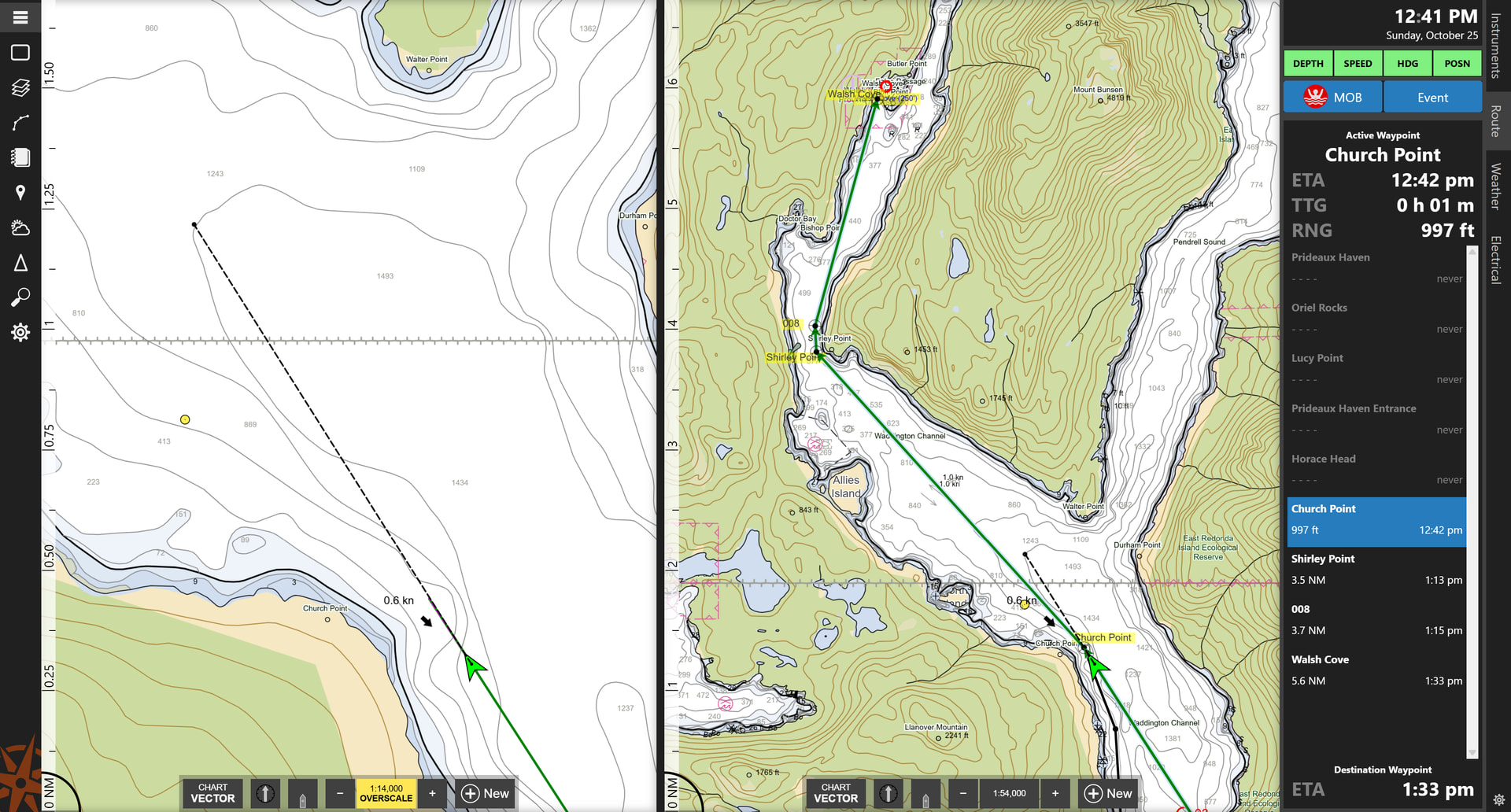
That is definitely not how it is supposed to work…the route should appear the same in both chart panels. We’ll try to get this fixed in the next update!