On the produced PDF/Print of the “Route Details” (which I’m very grateful for THANK YOU) could we get some additional information put at the top?
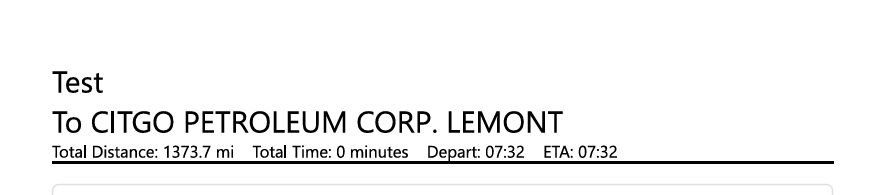
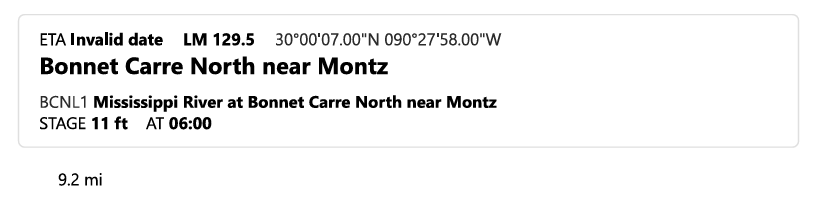
For the “Destination”/”To” can it refence its mile marker and waterway? The reason I ask this is because Exxon Nashville, TN is referenced as Exxon Company, USA. Which I realize is a USACE problem, but would remove any doubt of what location the destination is referencing. I’m sure there are many places where this same naming issue exist.
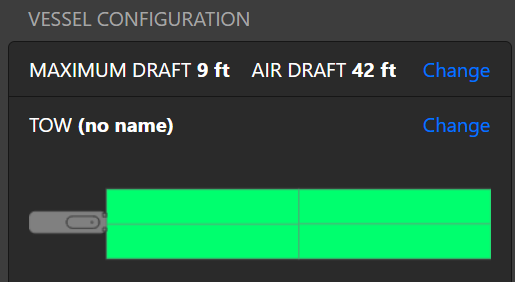
Also, it would be nice to have vessel dimensions, and draft information included. Especially due to the varying shapes and drafts that towboats operate with on a voyage by voyage basis. I’m not very particular on how its displayed on the header of the print out.
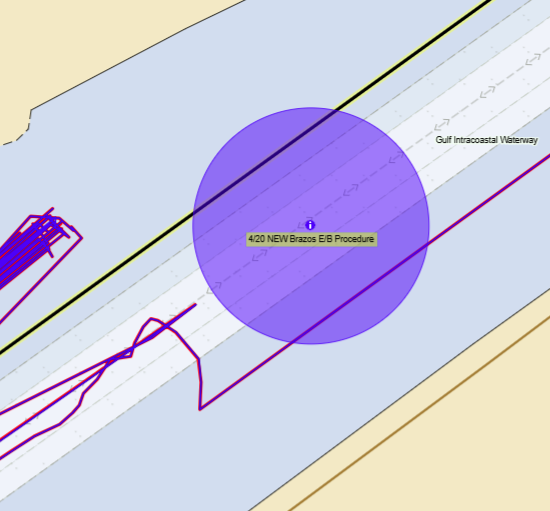
Brad, I have one more idea. We utilize our portal and company layer to send out important updates to policy and procedure. We utilize icons with boundary circles around them. Would it be possible to implement these marks as important route data if the automatic river route blue line crossed through one?
I really like this idea too! Do you think it would make sense to include any boundary with its “off limits” option set to “inside” in a route that crosses it, or would it be better to specifically mark boundaries with an options like “include this in routes”?
That’s going to be a tough one to answer, as different mariners chose to use markings in different (and sometimes unconventional) ways.
In my use case, anytime it crosses the threshold of my boundaries would be beneficial to be included in the route details Personally I would like to default it to including the information, just once. It wouldn’t need to have an item on the list for leaving the circle as it is usually just a few hundred feet in diameter.
I could see how some people would just want to draw a line across the channel and utilize that instead of the circles I use. I personally use the filled circles for awareness. It’s hard to miss and the information is likely mission critical.
Today’s update adds a new print option that includes more information about your vessel, its tow, and your destination. Rather than adding this to the “Print Route” feature, we added a “Print Voyage Plan” option to the Depart page right above the Start Navigation button.
We’ll continue to evolve this new print out and welcome any feedback you might have!