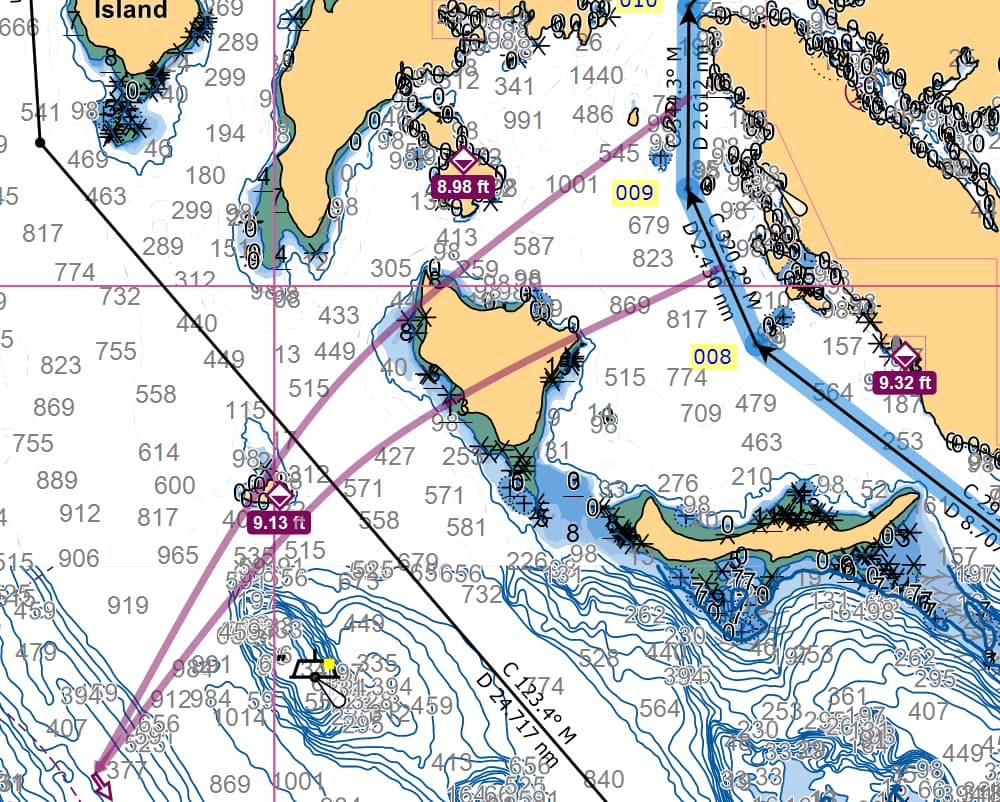
What are these red lines that appear when Route is clicked?
Hello Larry,
Those show which current station you’ve set for the two route legs the lines are coming from. The other end is the current station.
I’m just discovering this question. Did not notice that I could click on a route, and then add a current station.
Other than the red lines alerting me to the location of the current station, is there any other significance to how the red lines are laid down on the chart? Does the track of the red lines suggest current direction?
What I have not figured out - why would I want to add a current station to my route?
I’m using Coastal Explorer, if that makes a difference.
Why to add a current station: if you are boating in British Columbia there are channels that have very fast tide flows i.e. greater than 10knots. Having the tide station highlighted is a good reminder to pay attention to what is happening where you are.