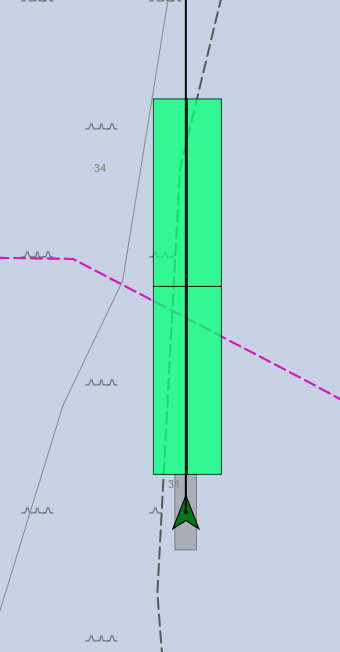
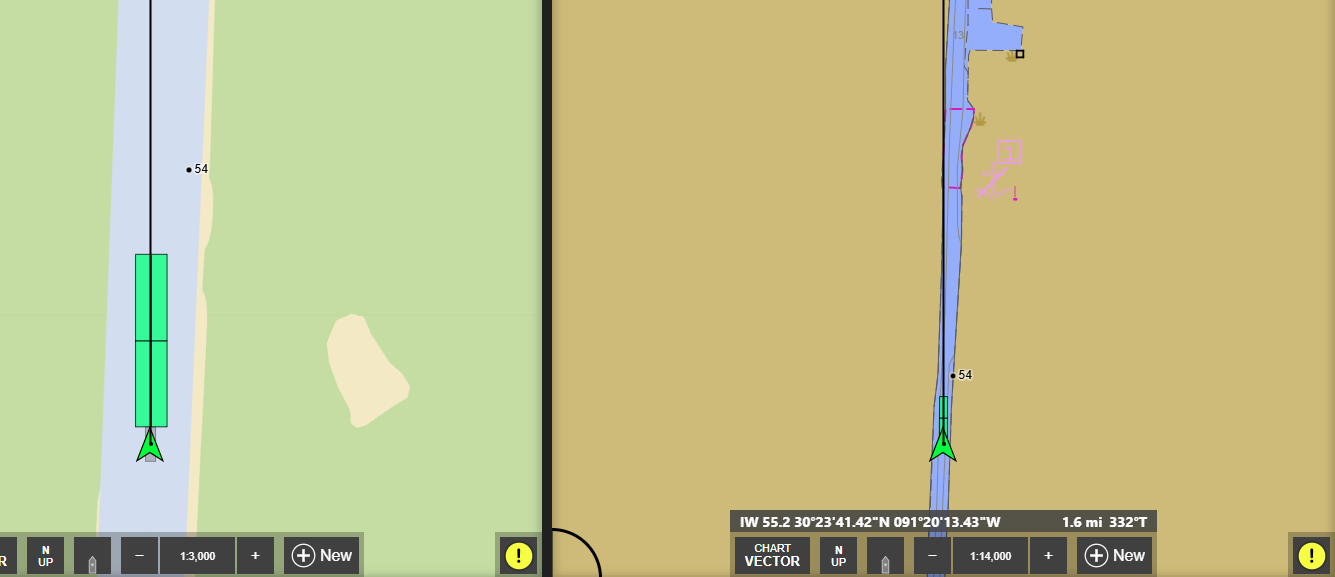
Is there a way to get rid of the triangle vessel icon and just have the towboat grey square? The way it automatically scales while zooming in and out on a chart could become distracting while maneuvering.
I also noticed the ability to print details and course changes off routes isn’t implemented yet, and the ability to print route details from an “Automatic River Route” is not available. I’m building a process for roughly 50 boats that could utilize this feature with automatic river routes, and I know companies that already rely on being able to print route details and course changes off a manually created route.
Thank you for any insight, I just started interacting with the beta last week and it’s running nicely so far.
There isn’t currently a way to hide the vessel icon, but we are hearing that some people don’t like it. We added this option to v4 quite some time ago in response to a lot of complaints relating to the older options and assumed it solved those problems when the complaint stopped. But apparently some people really didn’t have a problem with the way things used to work, and this new symbol is bothersome.
I’d really like to better understand the issues with it before we make any changes. So far we’ve mostly just heard “how can I turn it off” rather than anything specific we could do to make it desirable.
You mentioned that it could become distracting during maneuvering due to scaling. Could you help me understand that better? One of the features of this symbol is that it doesn’t scale with the chart so it’s much easier to spot on the screen, whereas the scaled rectangle representing the vessel under it can shrink down to nothing when you zoom out on the chart (especially with a small or now tow).
Voyage plan printing should be added soon…for both regular routes and automatic river routes.
See attached photo, many of our captains run split screen one zoomed in for maneuvering and one zoomed out for traffic management. I think I can speak for most inland towboat captains that the chart should reflect exactly what the towing vessel and tow is in reality, and to me it looks like a Startrek Starfleet Ensignia over my vessel. Just the ability to turn it off would suffice, I am sure there are some customers that would appreciate it.
Also, on my personal beta installation the green triangle blinks from light green to darker green and is distracting, but this could be because I’m not feeding it GPS data in the office.
I did want to mention the MSI notification in the bottom right hand corner of the chart is a HUGE win, and appreciate the feature.